
Overview
The Visitors page allows you to view all the incoming requests to your server.
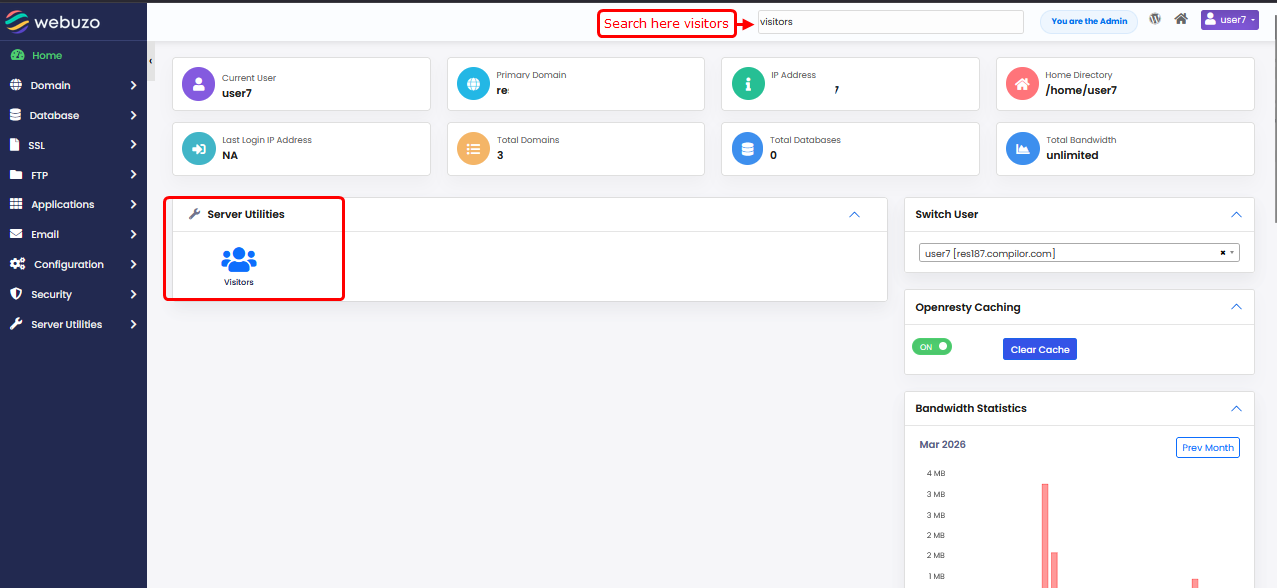
You can monitor details such as IP address, URL accessed, time of request, status code, and user agent.
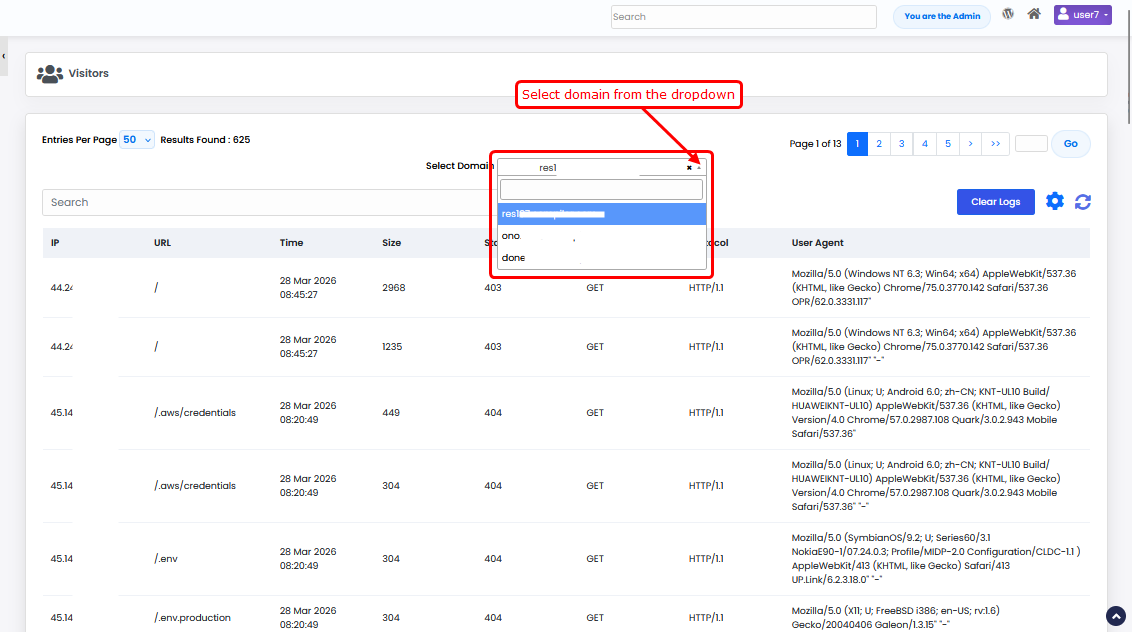
This option allows you to select the domain for which you want to view the visitor logs.
- Use the Select Domain dropdown to choose the domain whose visitor logs you want to view.
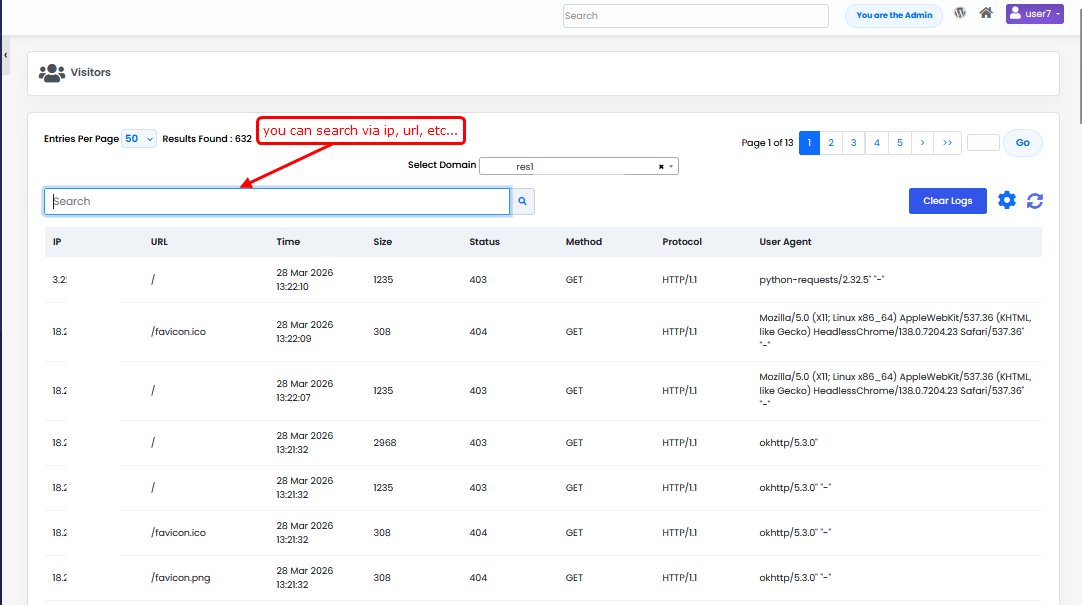
- Use the Search field to filter visitor logs based on IP address, URL, or other request details.
- Click Clear Logs to remove all visitor log entries.
Note: This action is irreversible
- Click the refresh icon to reload the visitor logs and display the latest data.
- Click the settings icon to configure log display preferences (if available)
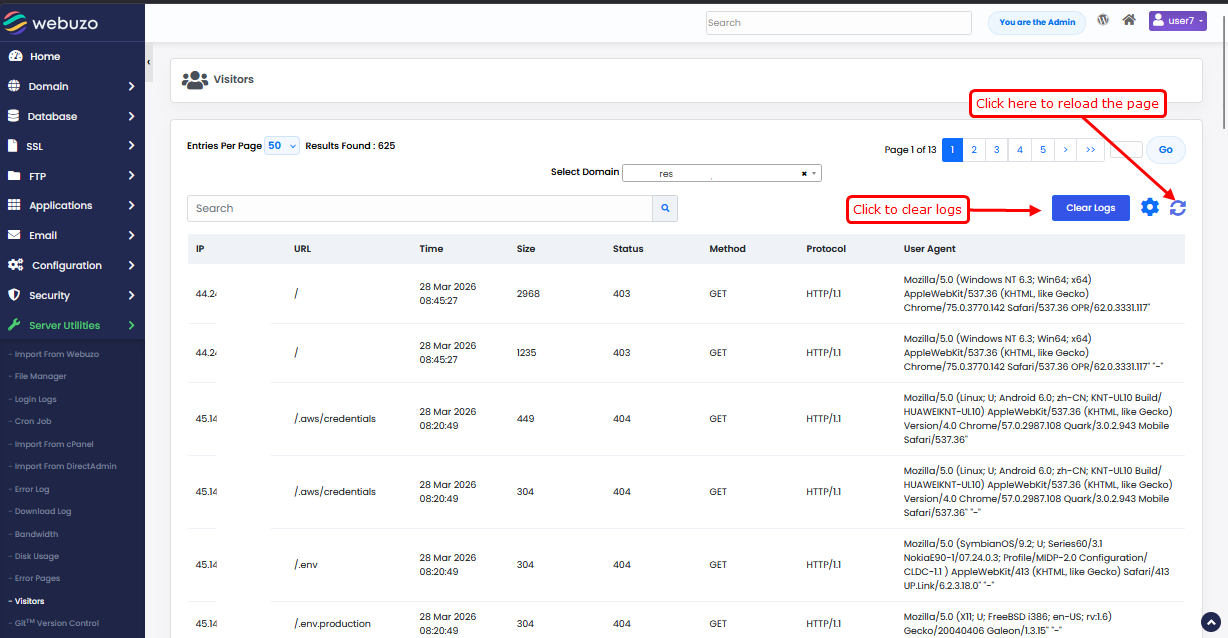
- The visitor logs are displayed in a tabular format with the following details:
IP – Displays the visitor’s IP address.
URL – Shows the requested path or file.
Time – Indicates when the request was made.
Size – Displays the response size in bytes.
Status – Shows the HTTP status code (e.g., 200, 403, 404).
Method – Indicates the request method such as GET or POST.
Protocol – Displays the HTTP version used.
User Agent – Provides information about the visitor’s browser and device.