
Overview
The Add DNS Zone feature in Webuzo allows administrators to create a new DNS zone for a domain. A DNS zone contains DNS records (A, MX, CNAME, etc.) that define how a domain resolves on the internet.
Webuzo provides a simple interface to create and manage DNS zones from the admin panel.
To Add DNS zone navigate to Home > DNS Functions > Add DNS Zone
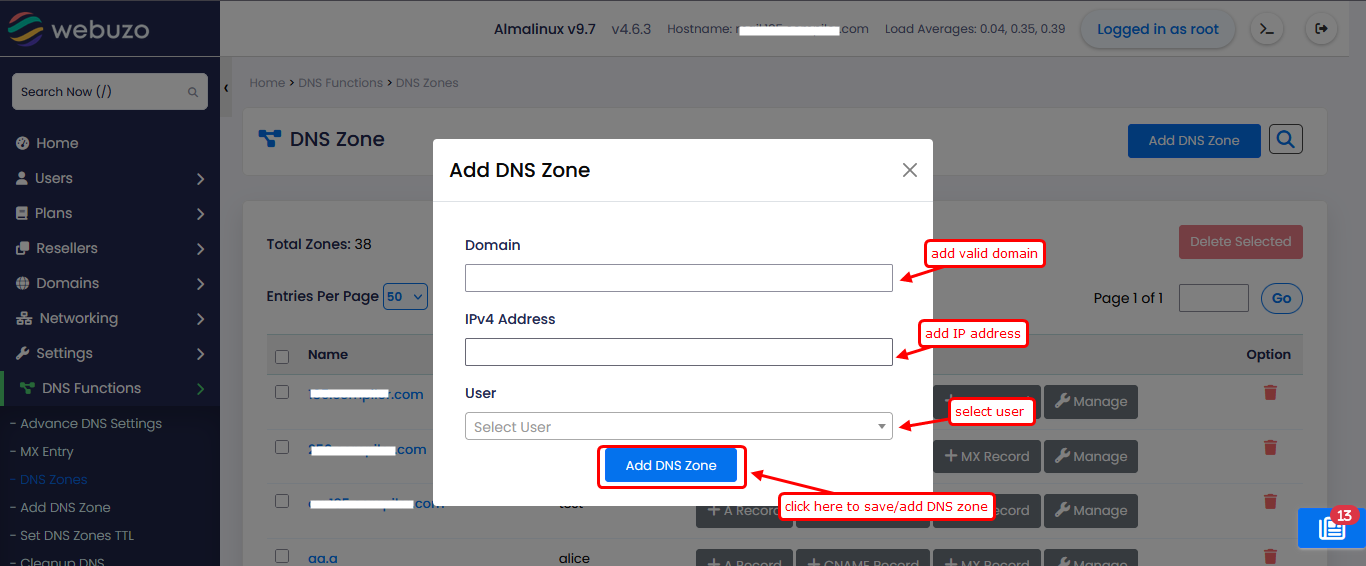
Field Description
1. Domain
Enter the domain name for which you want to create the DNS zone
Example: example.com
2. IPv4 Address
Enter the IP address where the domain should point
This will typically be your server’s public IP
3. User
Select the user who will own this DNS zone