Sign in to your Telegram account
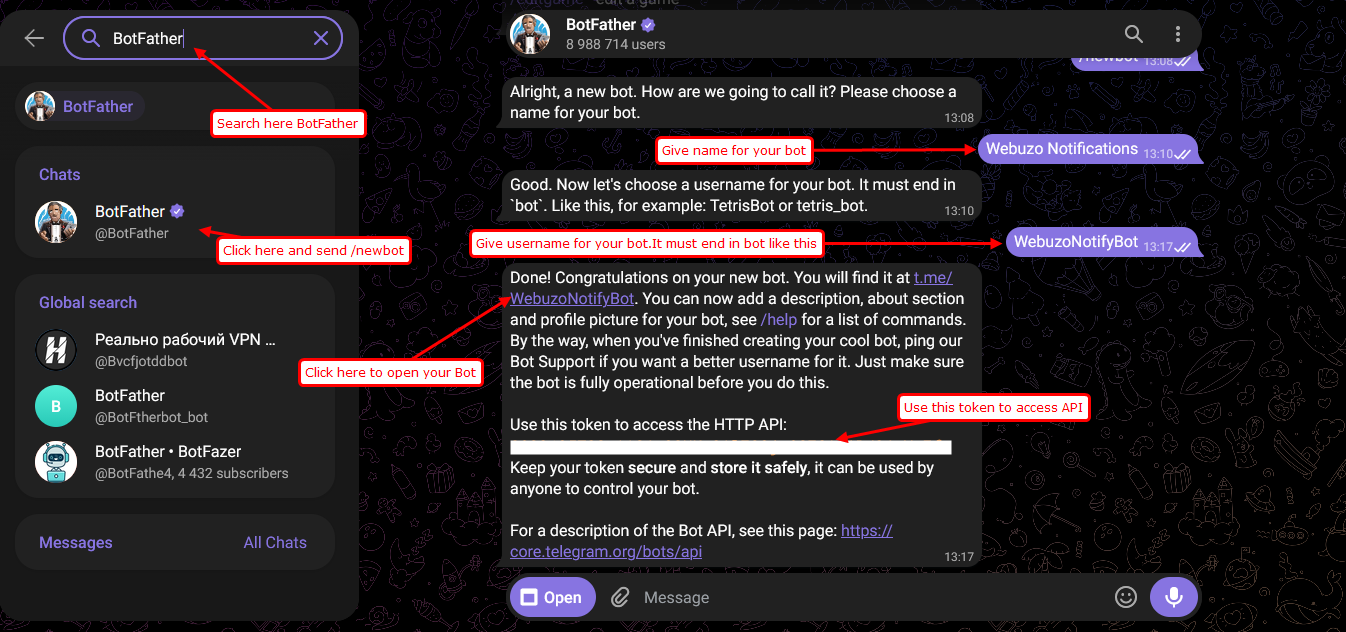
1. Open Telegram and search for @BotFather.
2. Send the command /newbot
3. Enter a name for your bot.
Example : Webuzo Notifications
4. Enter a unique username for your bot. The username must end with bot.
Example: WebuzoNotifyBot
5. After your bot is created, copy the Bot Token provided by BotFather.
Get The chat iD
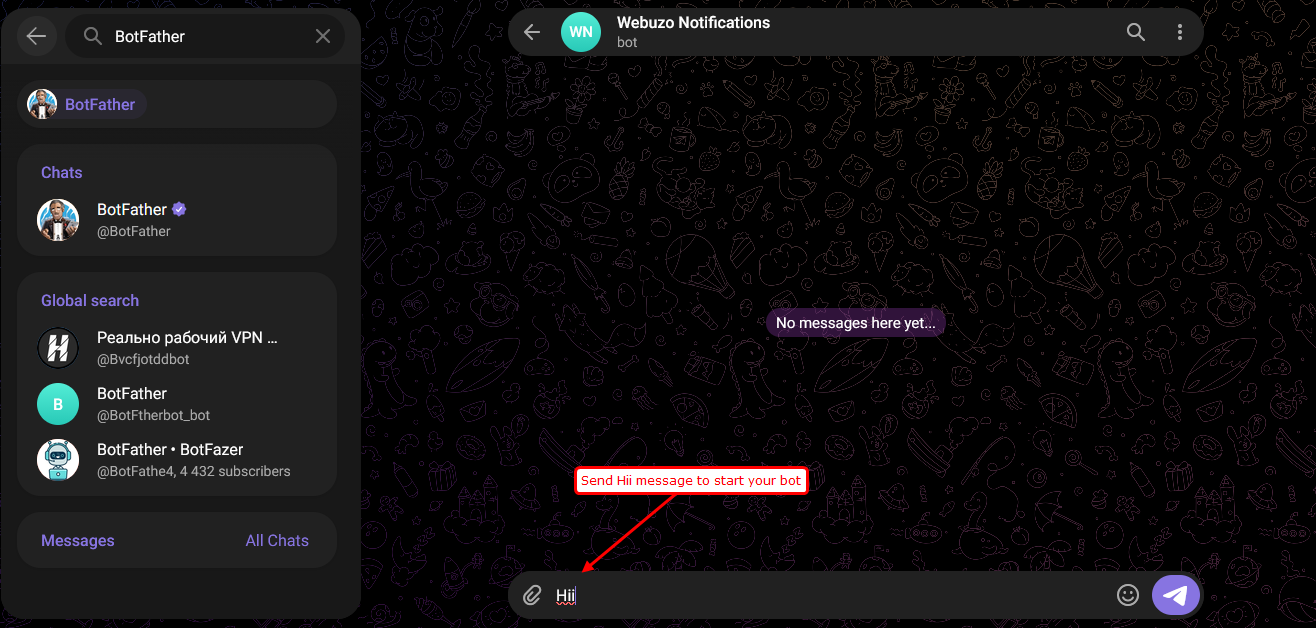
1. Open the bot you created and send any message (for example, Hi)
2. Open the following URL in your browser:
https://api.telegram.org/bot<TOKEN>/getUpdates
3. Copy the id value from the response.
Configure Telegram in Webuzo
1. Log in to the Webuzo Admin Panel.
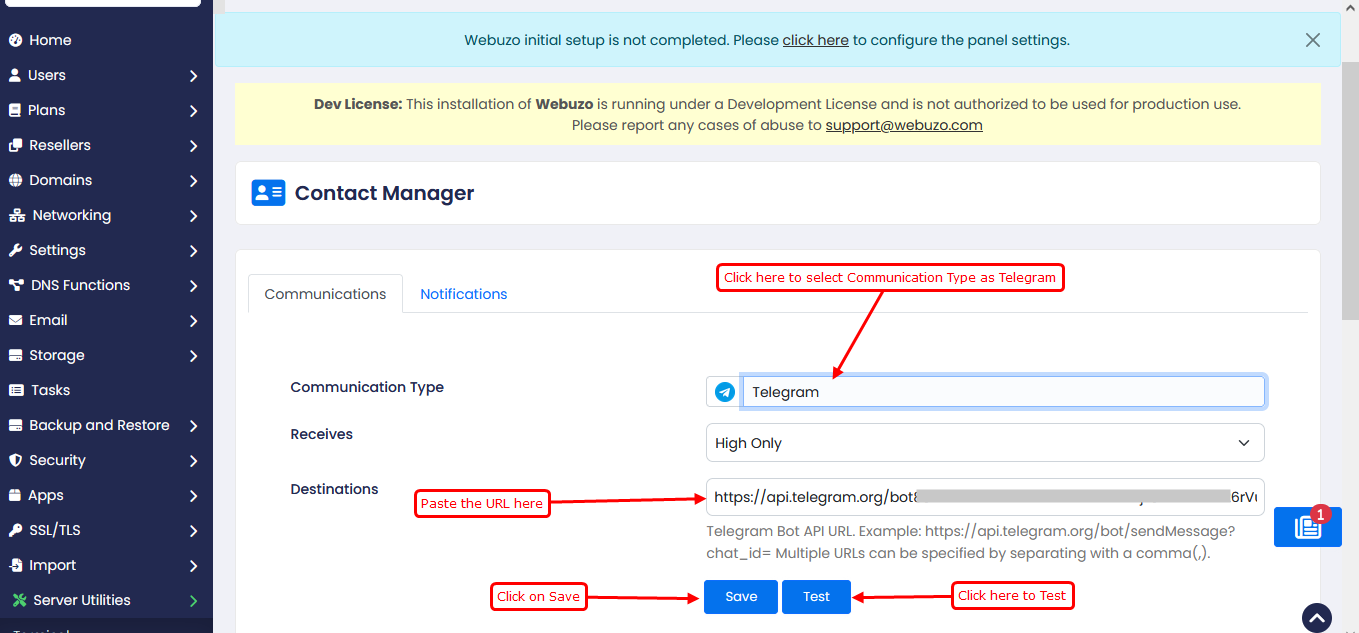
2. Navigate to: Contact Manager
3. Select Telegram as the communication type.
4. In the Destination field, enter:
https://api.telegram.org/bot<TOKEN>/sendMessage?chat_id=<CHAT_ID>
(Replace <TOKEN> with the Bot Token provided by @BotFather.)
(Replace <CHAT_ID> with the obtained from the getUpdates response.)
5. Click Save
Test the Configuration
1. Click Test.
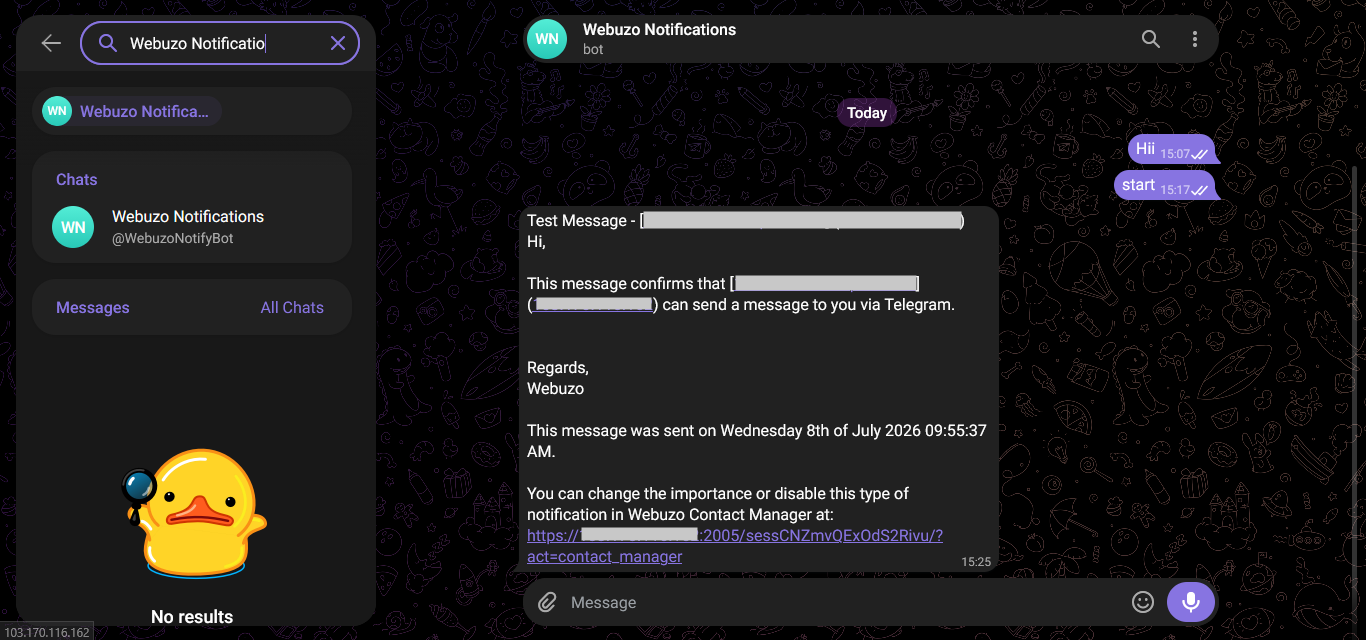
2. Verify that the test message is received in Telegram.