Overview
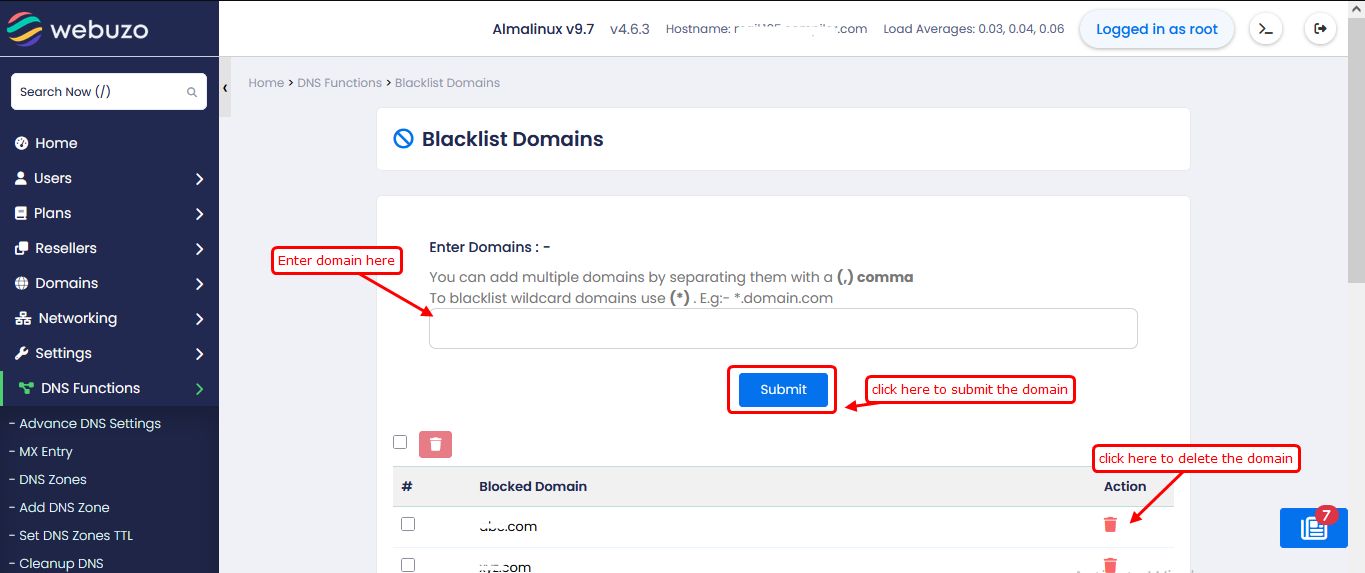
This guide will show you how to use the Blacklist Domains feature in Webuzo to block specific domains from being accessed or resolved via your server’s DNS.
To blacklist the domains navigate to Home > DNS Functions > Blacklist Domains
You can add single or multiple domains (comma-separated), including wildcard entries (e.g., *.example.com)
to block entire subdomains. Once added, these domains are prevented
from being accessed, helping improve security and control over network
usage.