
Overview
The Country Management feature allows administrators to control access based on country. You can allow or block specific countries from accessing services or the platform.
Procedure
Navigate to Home>Security>Country Management
Allow/Block Toggle
ON (Green) → Country is Allowed
OFF → Country is Blocked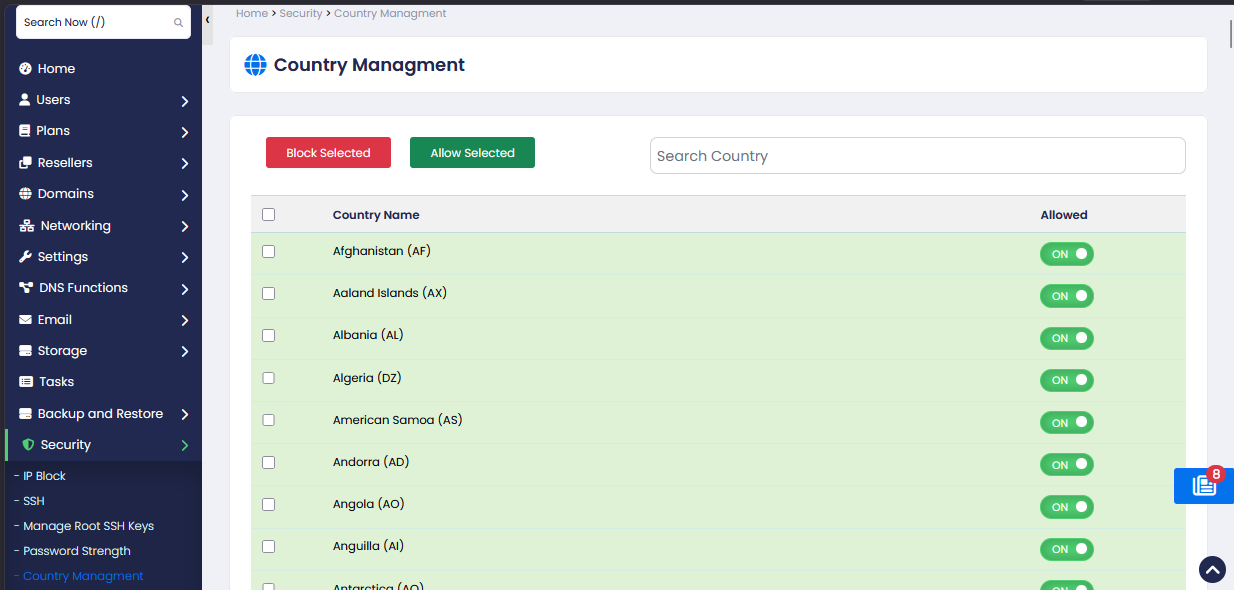
Block Selected:
Blocks all selected countries.
Users from these countries will not be allowed access.
Allow Selected:
Allows access for selected countries.
Removes any existing restrictions.
Search Country:
Quickly find a country by name or country code.
Helps in managing large country lists efficiently.