
Overview
This guide will show you how to reset PHP-FPM settings For Users.
Procedure
Note: "If you select the same PHP version for multiple users and domains, it will only affect the PHP version for the user you have selected in PHP-FPM settings. The PHP version setting will change only for that user, not for the other users' PHP versions.
For example, if you have assigned a PHP version for domain of users A, B, and C, and you select user A in PHP-FPM settings, it will only affect user A's domains PHP version."
To manage PHP-FPM settings, navigate to Home > Apps > PHP-FPM Settings.After navigating to the settings wizard, you can select the user for
whom you want to Reset the settings and choose the PHP version you want to Reset as well. You can refer to the provided
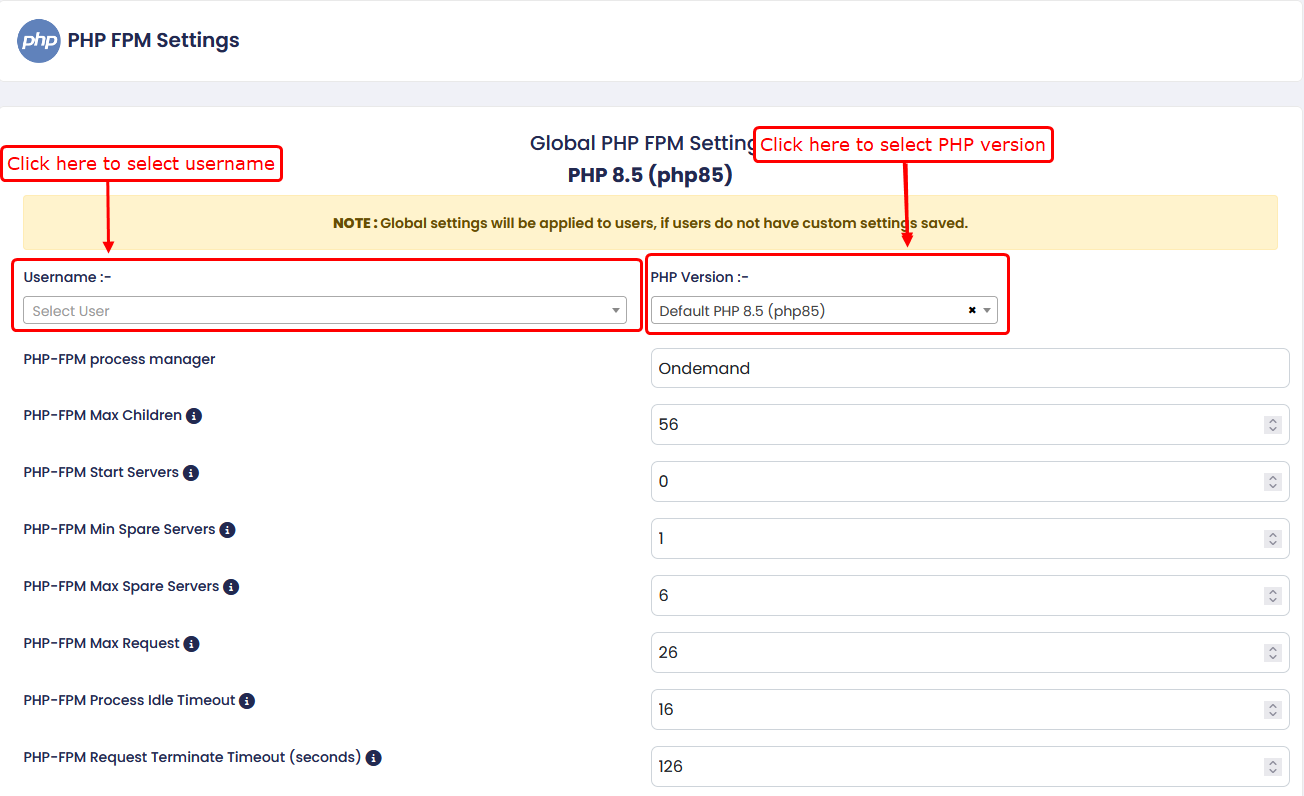
- static – fixed number of processes.
- dynamic – adjusts based on load.
-
ondemand – starts processes only when needed.
2) PHP-FPM Max Children: Maximum number of child processes that can run at the same time.
3) PHP-FPM Start Servers :-
Number of child processes created when PHP-FPM starts.
4) PHP-FPM Min Spare Servers :-
Minimum number of idle processes maintained.
5) PHP-FPM Max Spare Servers :-
Maximum number of idle processes allowed.
6) PHP-FPM Max Request :-
Number of requests a child process handles before restarting.
7) PHP-FPM Process Idle Timeout :-
Time after which idle processes are terminated.
8) PHP-FPM Request Terminate Timeout (seconds) :-
Maximum execution time allowed for a request before termination.
9) PHP-FPM File Limit :-
Maximum number of file descriptors available per process.
10) PHP-FPM Ulimit :-
Defines system-level resource limits for PHP-FPM processes.
11) PHP-FPM Listen Backlog :-
Maximum number of pending connections in the queue.
12) Run PHP-FPM as nobody :-
Runs PHP-FPM processes under the 'nobody' user for isolation.
PHP-FPM INI settings
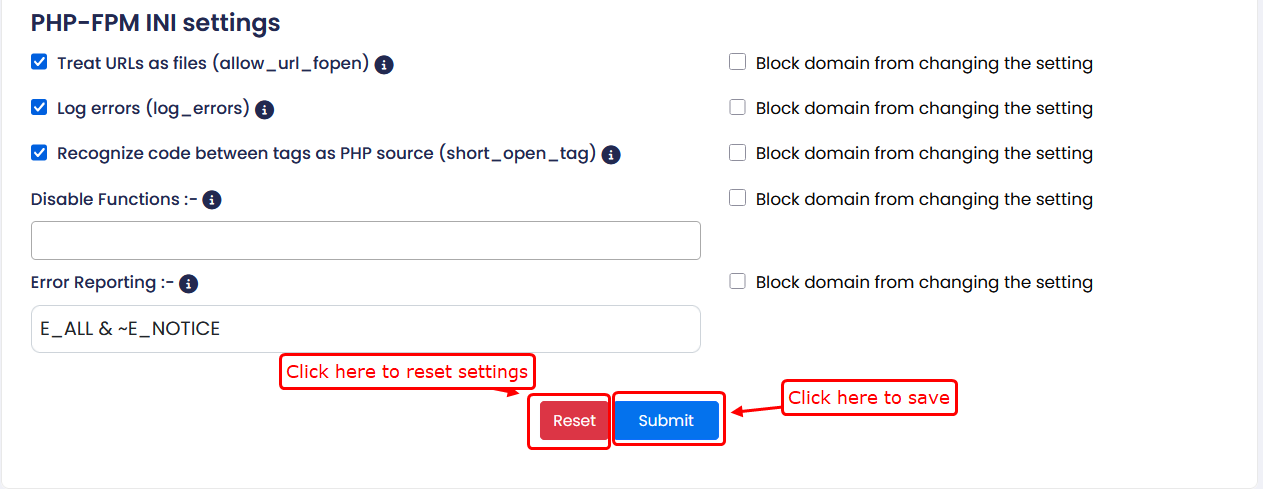
1) Treat URLs as files :-
Enables accessing files using URL wrappers like HTTP or FTP.
2) Block domain from changing the setting :-
Prevents users from overriding this setting.
3) Log errors :-
Enables logging of PHP errors.
4) Recognize code between tags as PHP source :-
Allows the use of short PHP opening tags in addition to standard tags.
5) Disable Functions :-
Allows you to disable specific PHP functions for security purposes.
6) Error Reporting :-
Defines the level of PHP error reporting.