Overview
This guide will show you how you can install and configure Rspamd.
Procedure
To install Rspamd, go to Webuzo Admin Panel > Apps > Install an App wizard.
Rspamd Statistics Dashboard
The Rspamd Statistics Dashboard provides a real-time overview of spam filtering activity and server status.
You can access this dashboard from Webuzo Admin Panel > Apps > Rspamd.
You
will be asked for your login credentials to access the dashboard. It
will be the same password you set during the Rspamd app installation.
Webuzo also stores this password in /var/webuzo/rspamd_web_password file.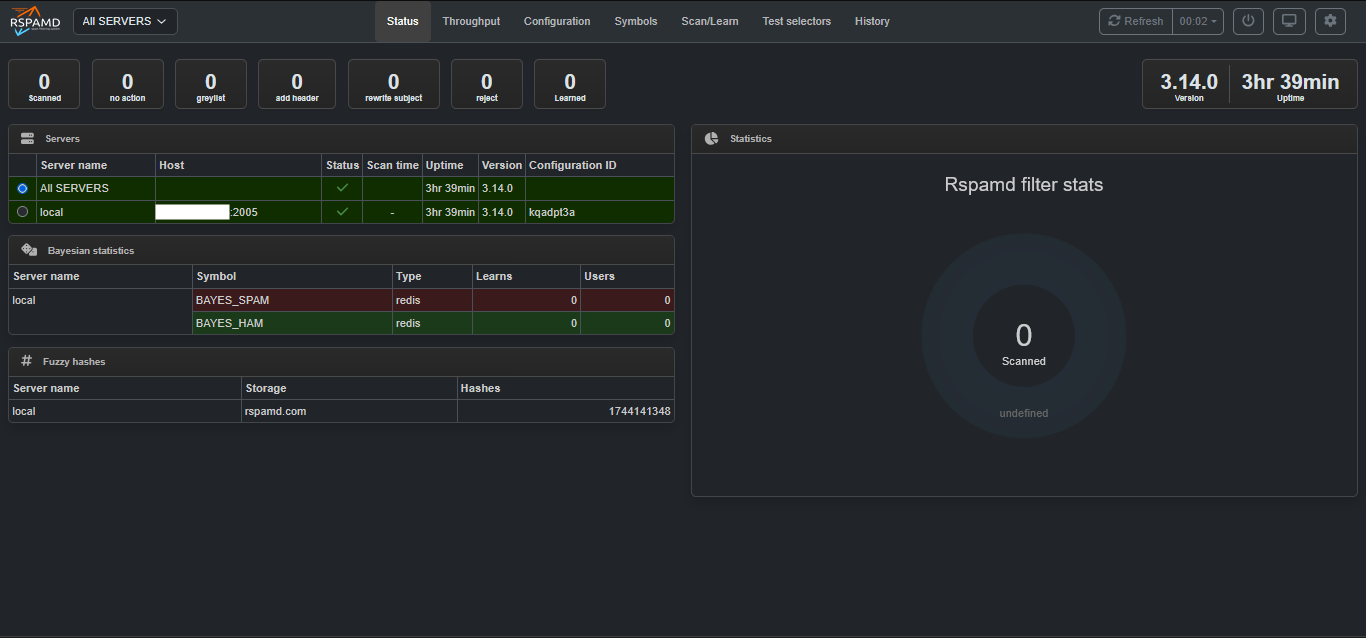
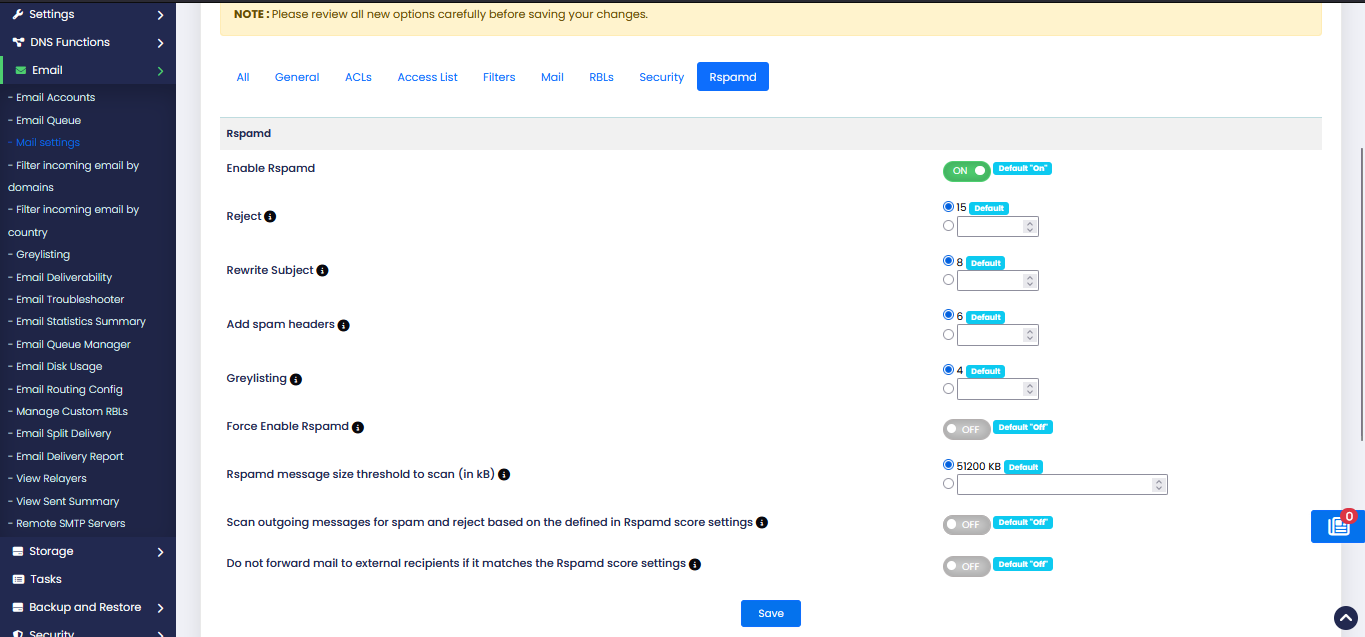
Rspamd Settings
To configure the Rspamd settings go to Webuzo Admin Panel > Email > Mail Setting > Basic Editor > Rspamd wizard.