Overview
The Email Templates section allows you to manage and customize system-generated email notifications sent to users, resellers, and administrators.
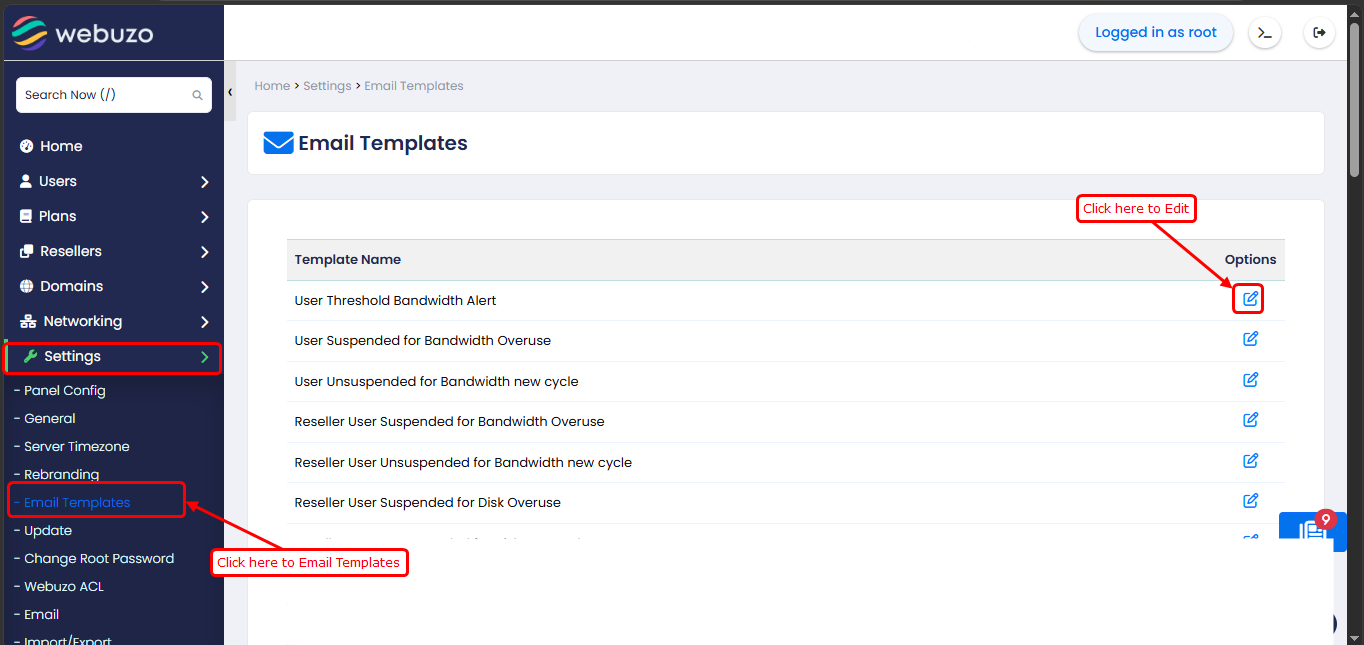
Home > Settings > Email TemplatesThis section lists all available email templates used for different events such as:
- Account actions (creation, suspension, deletion)
- Backup and restore operations
- Resource usage alerts (disk, bandwidth, inode)
- Security notifications (2FA, brute force alerts)
- Import/export operations
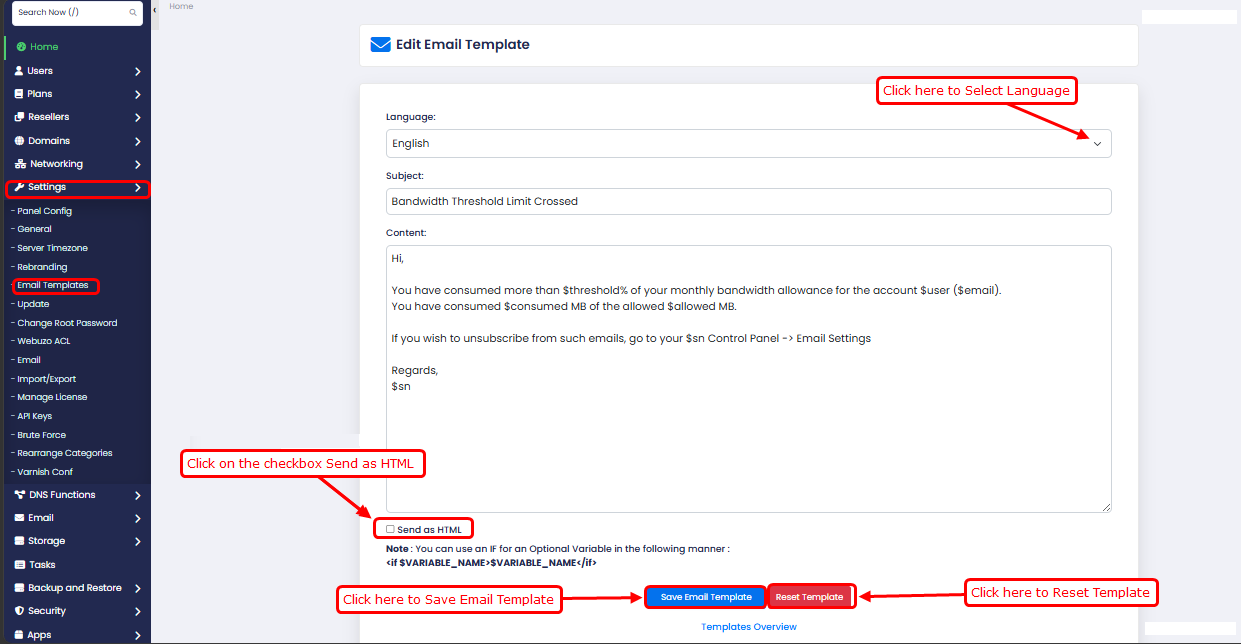
Each template can be edited to customize the email subject and content
- How to Edit a Template:
- Go to Home > Settings > Email Templates
- Locate the template you want to modify
- Click on the Edit option
- Update the subject and message content as required
- Click on Save Email Temmplates.