
Overview
Webuzo provides an intuitive interface to manage Apache settings directly from its panel.
This guide will show you how to enable or disable settings in the Apache web server.
Procedure
1. To enable or disable settings for Apache, navigate to Home > Apps > Apache Settings.
You can enable or disable settings for Apache by clicking the checkbox to select the setting, and then clicking the "edit Apache settings" button to save the changes. 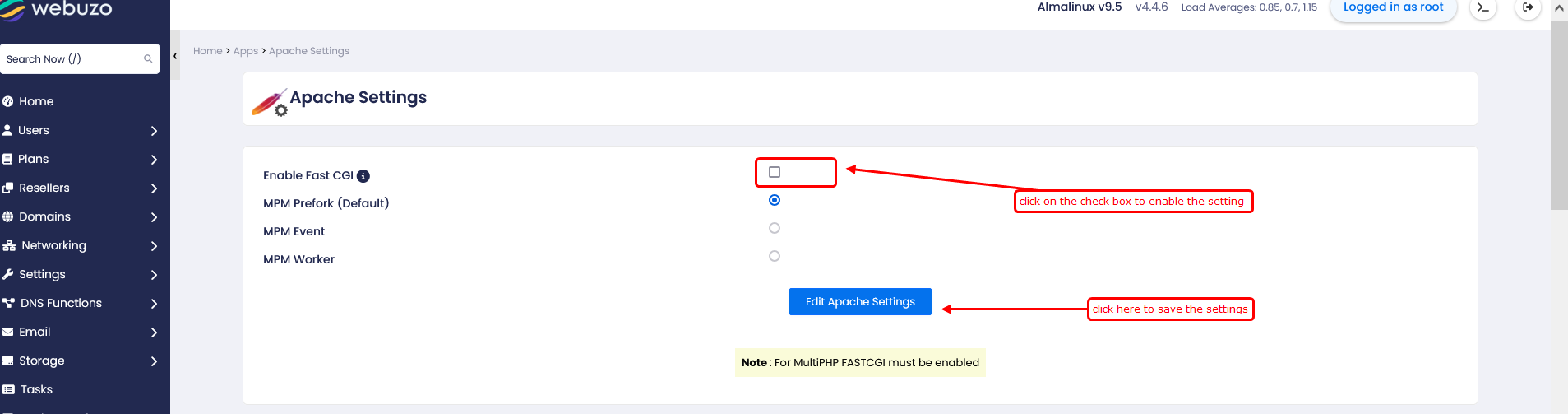
Enable FastCGI → Used to run PHP efficiently with better performance and stability.
Note: For MultiPHP FASTCGI must be enabled
MPM Prefork (Default) → Used for compatibility with old setups like mod_php.
MPM Worker → Used for balanced performance with lower memory usage.
MPM Event → Used for high performance and handling high traffic efficiently
2. At the same location, Home > Apps > Apache Settings, we also have additional Apache module settings.
You can enable or disable settings for additional Apache module by clicking the checkbox to select the setting, and then clicking the "save settings" button to save the changes. 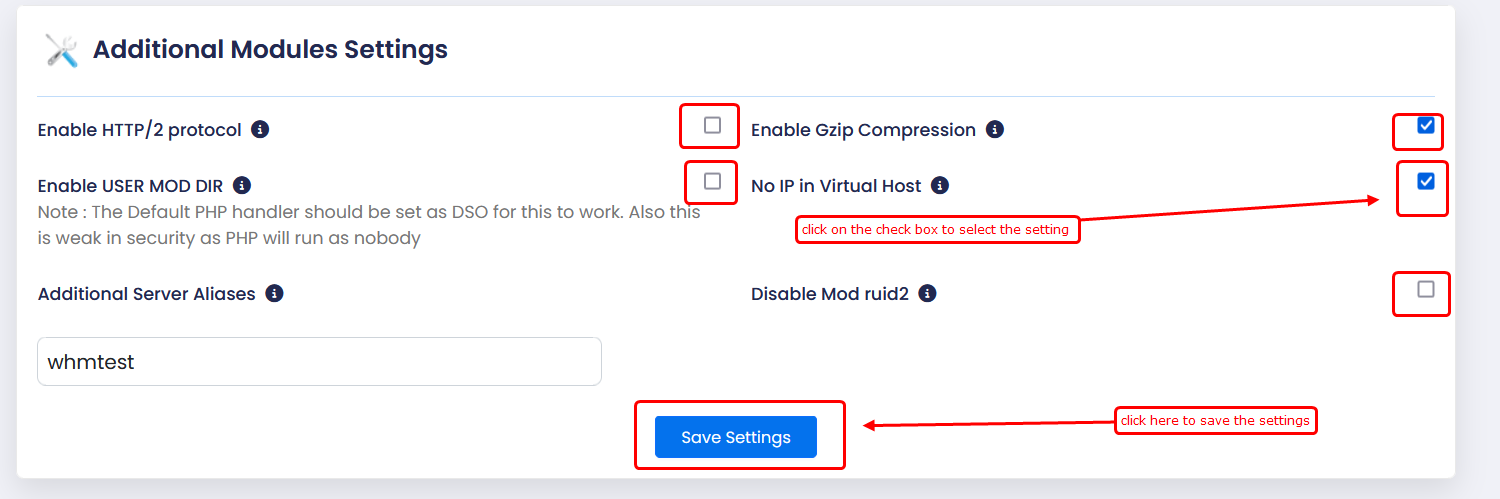
Enable HTTP/2 protocol → Improves website speed by allowing multiple requests over a single connection.
Enable Gzip Compression → Reduces page size to load websites faster.
Enable USER MOD DIR → Allows access to user directories (e.g., /~username), but less secure as PHP runs as nobody.
No IP in Virtual Host → Uses domain-based hosting instead of IP-based configuration.
Additional Server Aliases → Allows adding extra domain names pointing to the same website.
Disable Mod ruid2 → Disables the per-user permissions module, which may affect security and execution behaviour.
3. You can also check the global settings for Apache and enable or
disable them (turn them on or off) as per your requirements. Once
selected, please click the "Save settings" button to save the settings.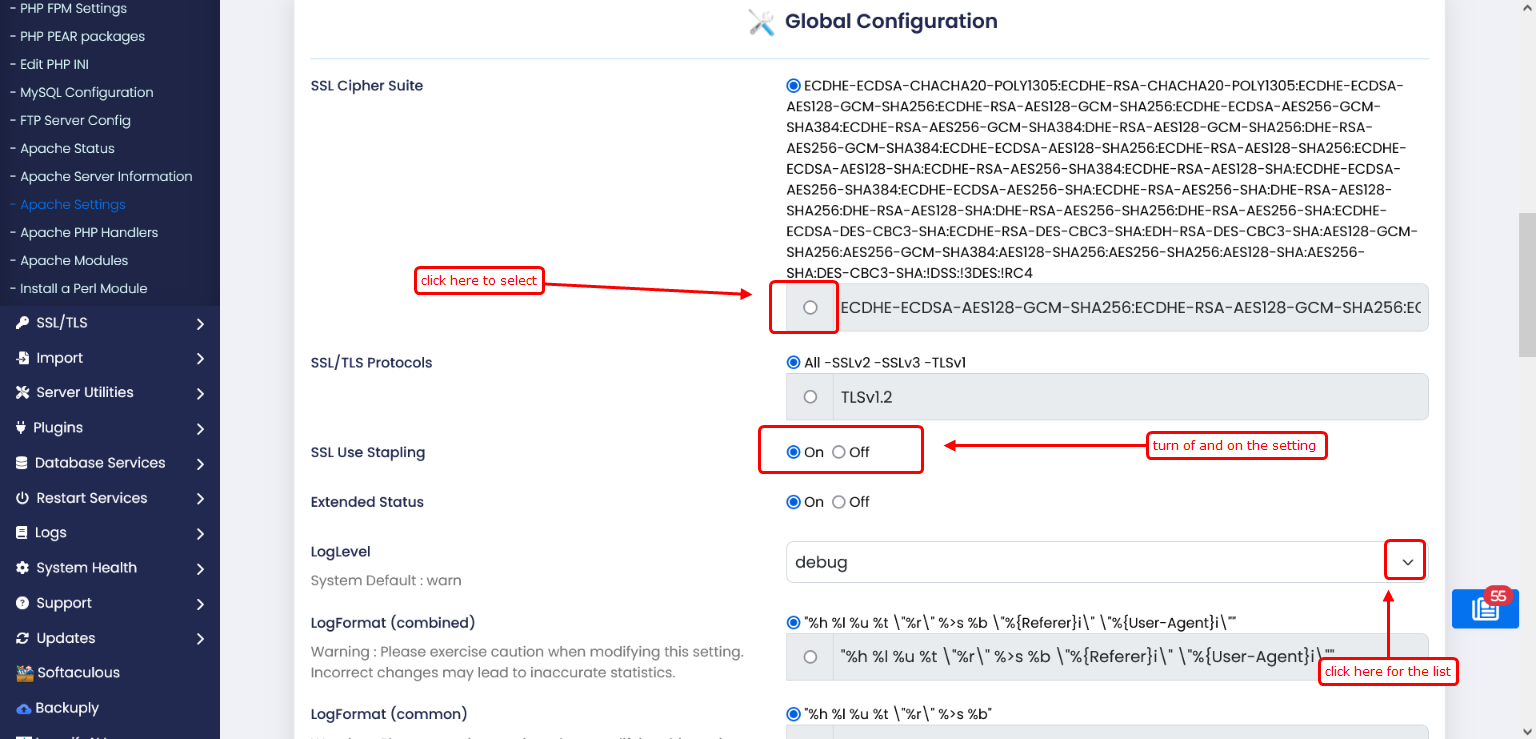
SSL Cipher Suite → Defines allowed encryption algorithms for secure HTTPS connections.
(Short Cipher List – Recommended) → Uses only strong ciphers for better security and performance.
SSL/TLS Protocols → Controls which SSL/TLS versions are enabled or disabled.
TLSv1.2 → Enables secure communication using TLS 1.2 protocol.
SSL Use Stapling → Improves SSL performance by enabling OCSP stapling.
Extended Status → Enables detailed Apache server status and statistics
LogLevel → Sets the level of detail for server logs (e.g., error, warn).
LogFormat (combined) → Defines detailed log format including request, referrer, and user-agent.
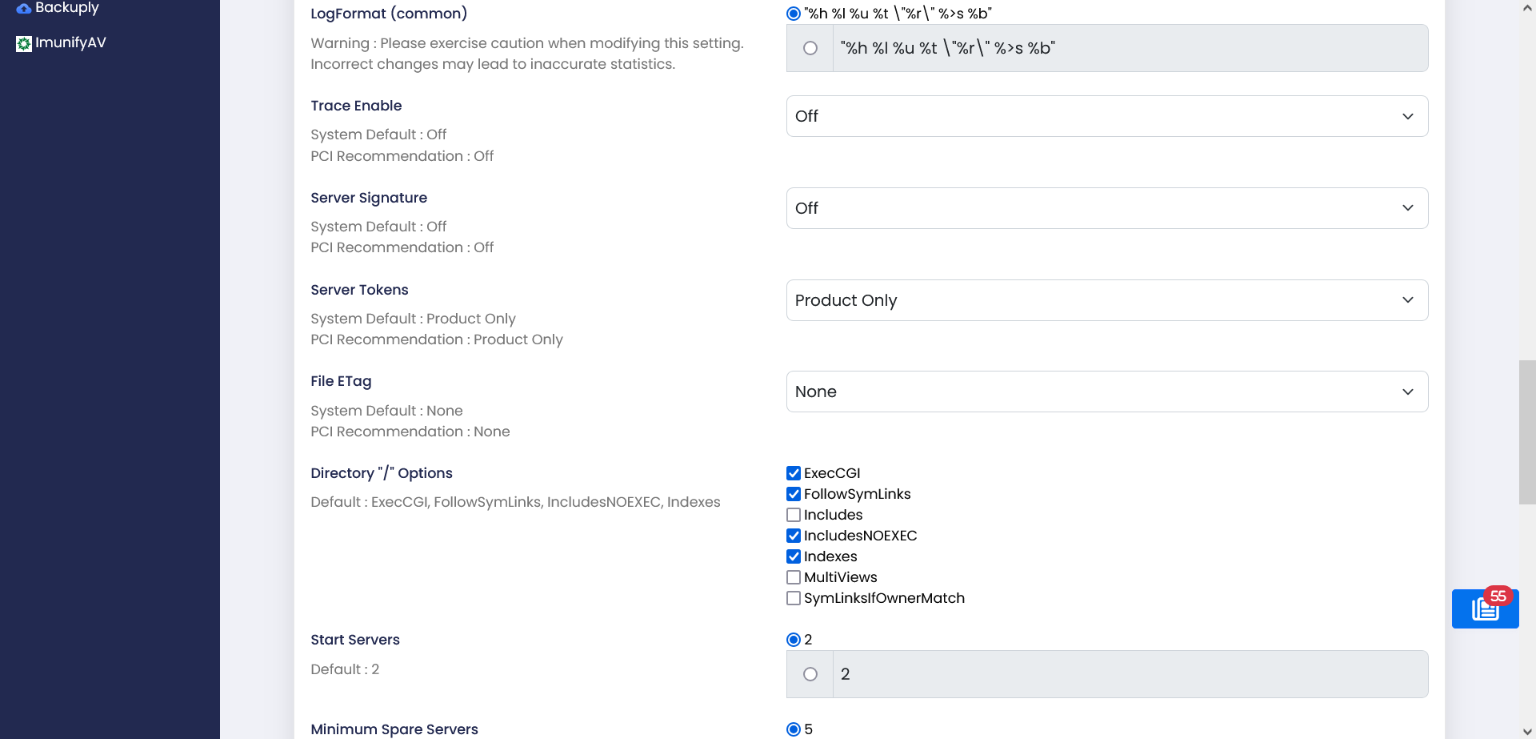
Trace Enable → Controls HTTP TRACE method; disabling improves security by preventing request echo attacks.
Server Signature → Hides or shows server details on error pages for security.
Server Tokens → Limits how much server information is exposed in HTTP headers.
File ETag → Controls file caching mechanism; disabling avoids cache conflicts in clusters.
Directory "/" Options → Defines default permissions and features (like indexes, symlinks, CGI) for root directory.
ExecCGI → Allows execution of CGI scripts.
FollowSymLinks → Allows Apache to follow symbolic links.
Includes → Enables server-side includes (SSI).
IncludesNOEXEC → Enables SSI without allowing command execution (more secure).
Indexes → Allows directory listing when no index file is present.
MultiViews → Enables content negotiation (serves best match file automatically).
SymLinksIfOwnerMatch → Allows symlinks only if ownership matches (more secure).
Start Servers → Defines number of Apache processes to start initially.
Minimum Spare Servers → Sets minimum idle processes to handle incoming requests quickly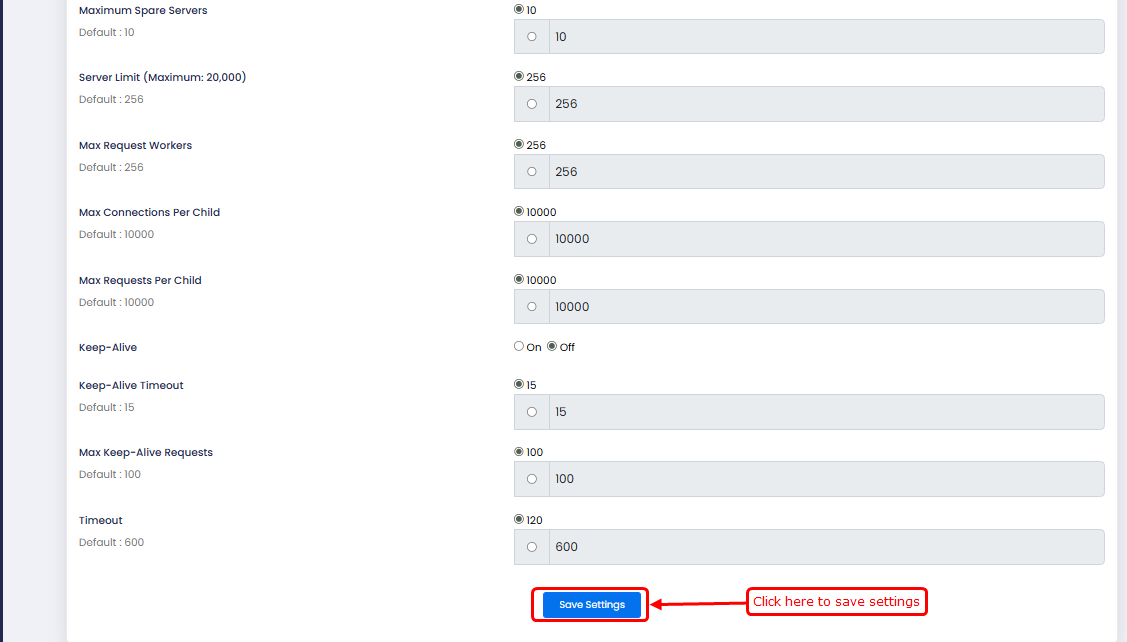
Maximum Spare Servers → Sets the maximum number of idle Apache processes to avoid wasting resources.
Server Limit → Defines the upper limit of total Apache processes that can be created.
Max Request Workers → Limits the maximum number of simultaneous client requests handled.
Max Connections Per Child → Sets how many connections a process handles before restarting.
Max Requests Per Child → Limits number of requests per process to prevent memory leaks.
Keep-Alive → Enables persistent connections to improve performance by reusing connections.
Keep-Alive Timeout → Sets how long Apache waits for the next request on the same connection.
Max Keep-Alive Requests → Defines maximum requests allowed per persistent connection.
Timeout → Sets maximum time Apache waits for request/response before closing connection.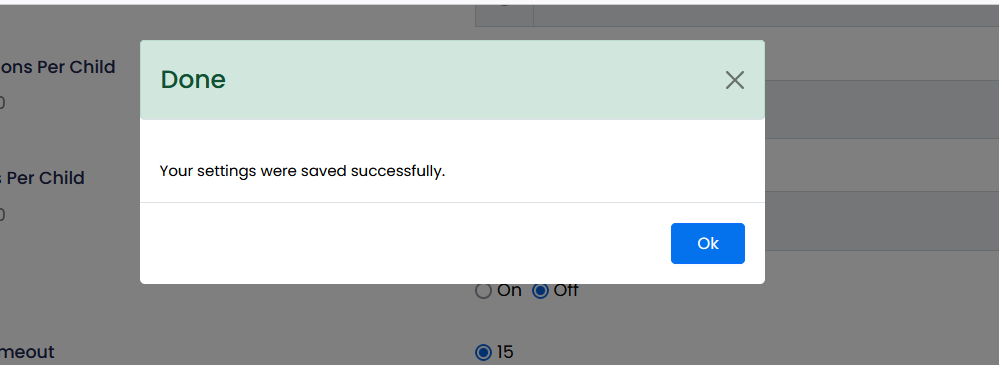
Your settings have been saved successfully.