
buy
System Update

The System Update page in Webuzo provides the functionality to update all installed system packages to their latest versions. It ensures your server software stays current and secure by applying the latest patches and improvements.

Navigate to Home > Updates > System Update 
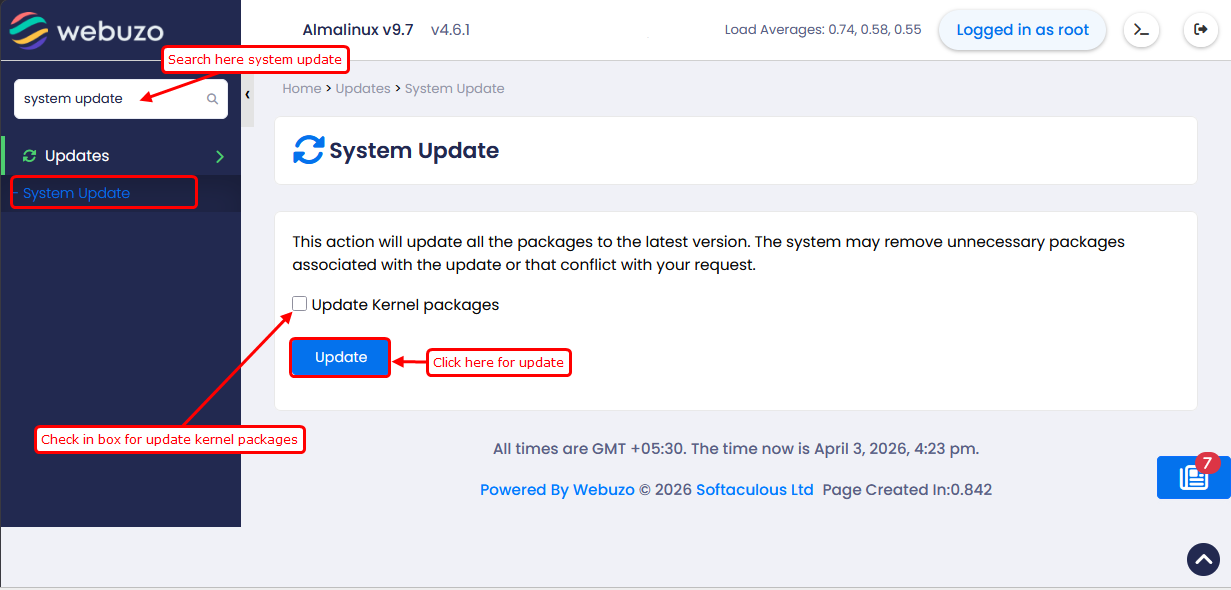
  • The checkbox labeled "Update Kernel packages" is checked (there’s a blue checkmark inside).
  • This means the system will update the kernel along with all other packages when you click the Update button.
  • If you uncheck the box, the update will skip the kernel.
  • Other system packages will be updated, but the core kernel won’t change.
    • Was this page helpful?
      Newsletter Subscription
      Subscribing you to the mailing list