Overview
The Email Delivery Report in Webuzo allows users and administrators to monitor and analyze email delivery activity on the server. This tool provides detailed logs showing whether emails were successfully delivered, delayed, relayed, or failed during transmission
Procedure
To check the Email Delivery Report Navigate to Home → Email → Email Delivery Report
The report provides filtering options to search specific email events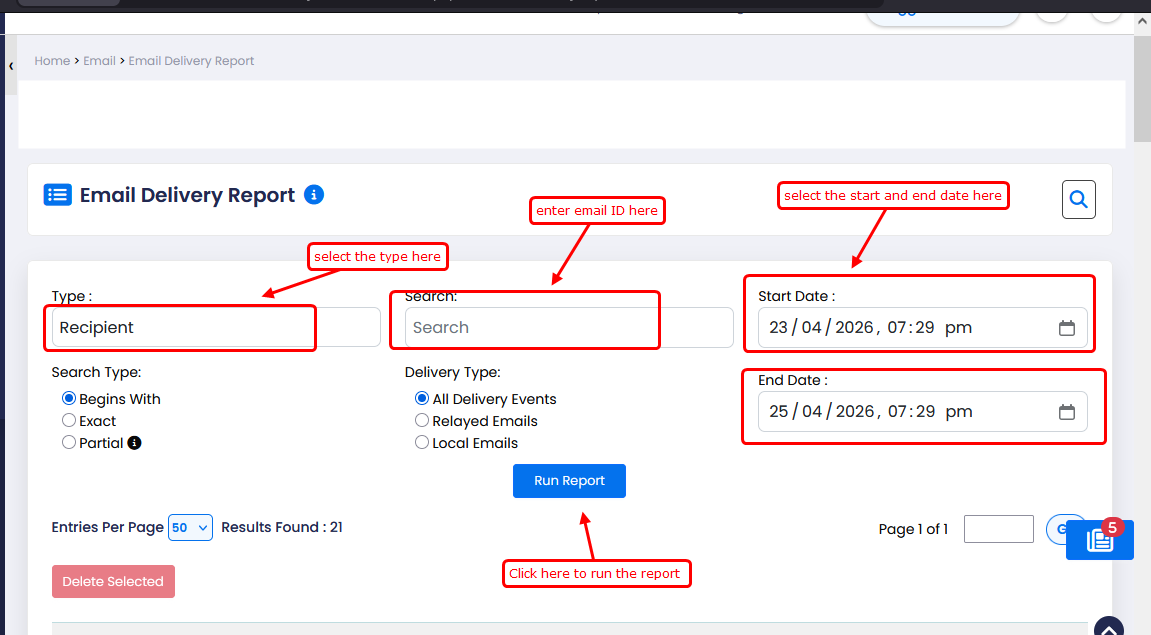
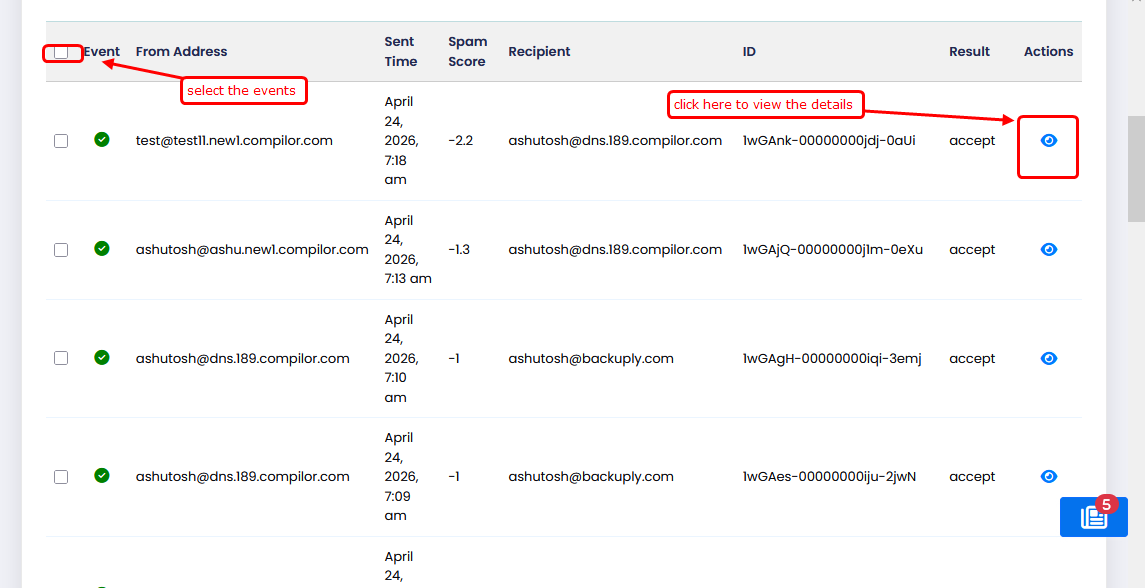
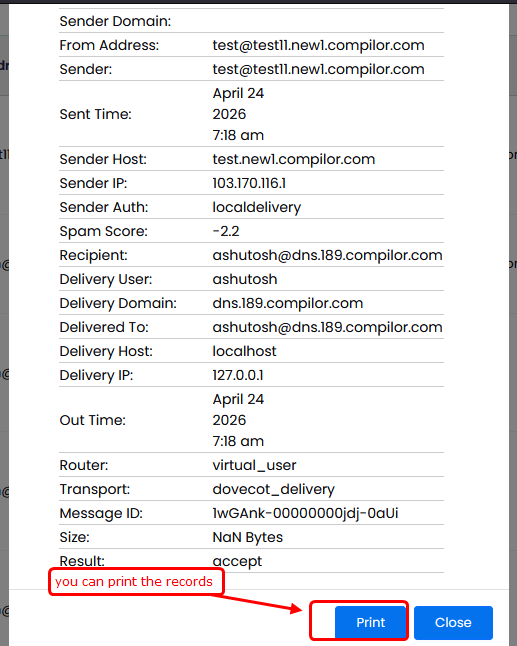
Once you click on the eye icon then you can see the email delivery details