Overview
This guide explains how an administrator can modify the default port range used for end-user applications and how the updated port is reflected in the end-user panel.
Navigate to Home > Settings > General. Scroll down to Enduser Application(s) Settings. You will see Port ranges.
Enter your desired port range between 10001-10100.
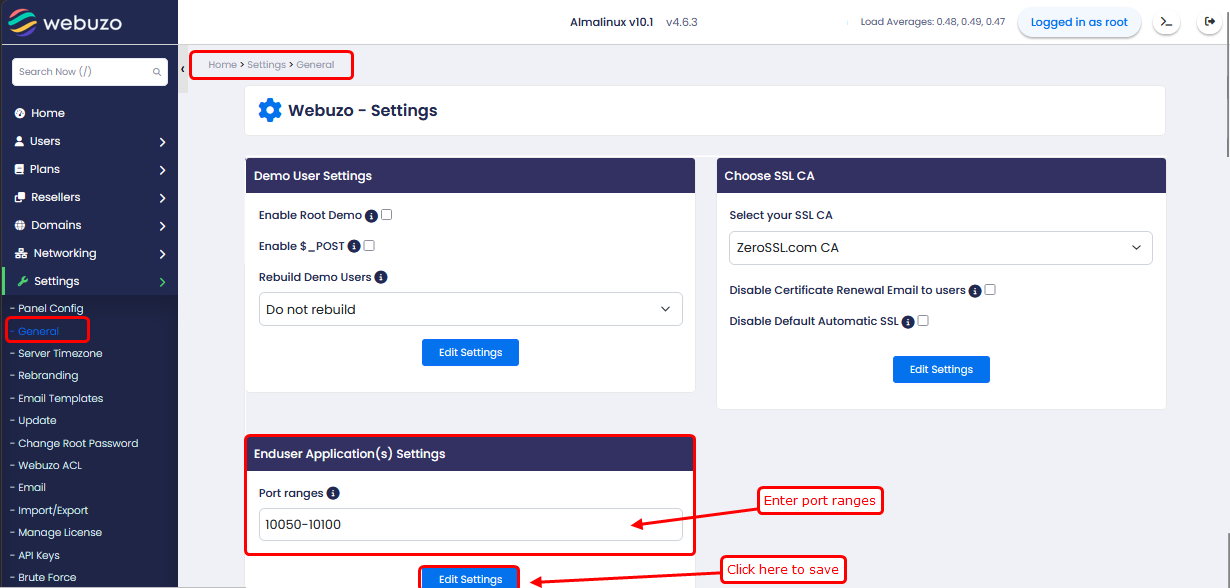
Once the port range is updated, Access Enduser Panel
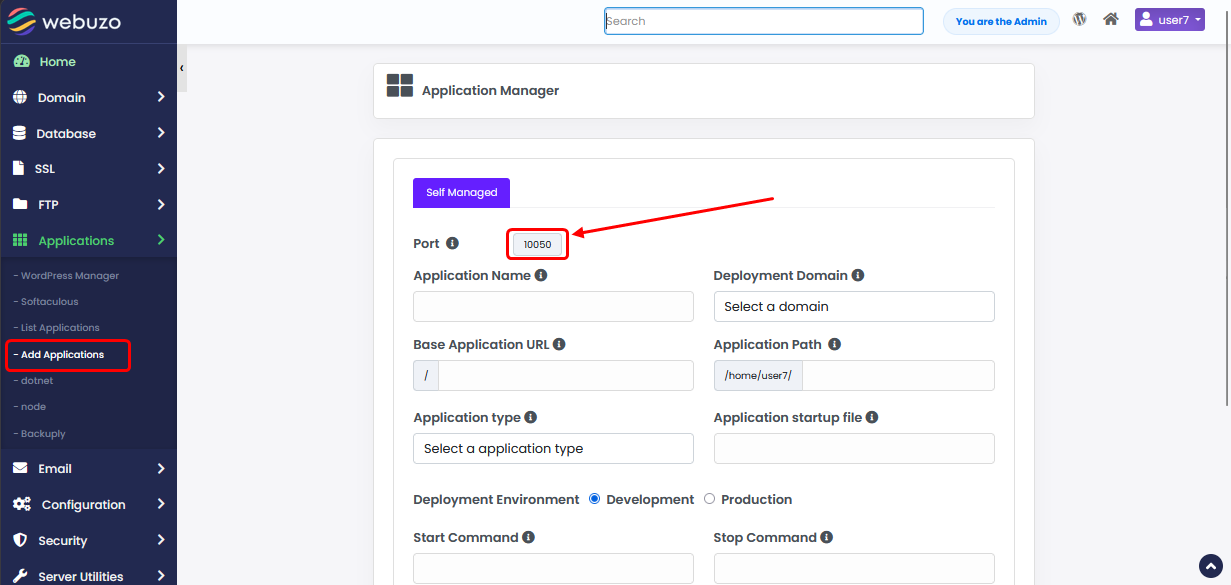
- Navigate to Applications → Add Applications
- In the Port field, you will see A port automatically assigned from the updated range