
Overview
This guide shows you how to troubleshoot SSL Certificate Installation problem.
Procedure
1. Verify Domain Pointing
First, check if the domain is correctly pointing to the IP address. Use a DNS checker tool to verify that the IP is correct.
2. Check NAT Configuration
If the SSL is still giving error while installing it may be NAT-configured. To check this:Execute the command ifconfig to list IP addresses.
If you do not find the IP from which you accessed the panel and the domain is pointing to, the server may be NAT-configured.
In this case, enable the "No IP in Virtual Host" setting in Apache:
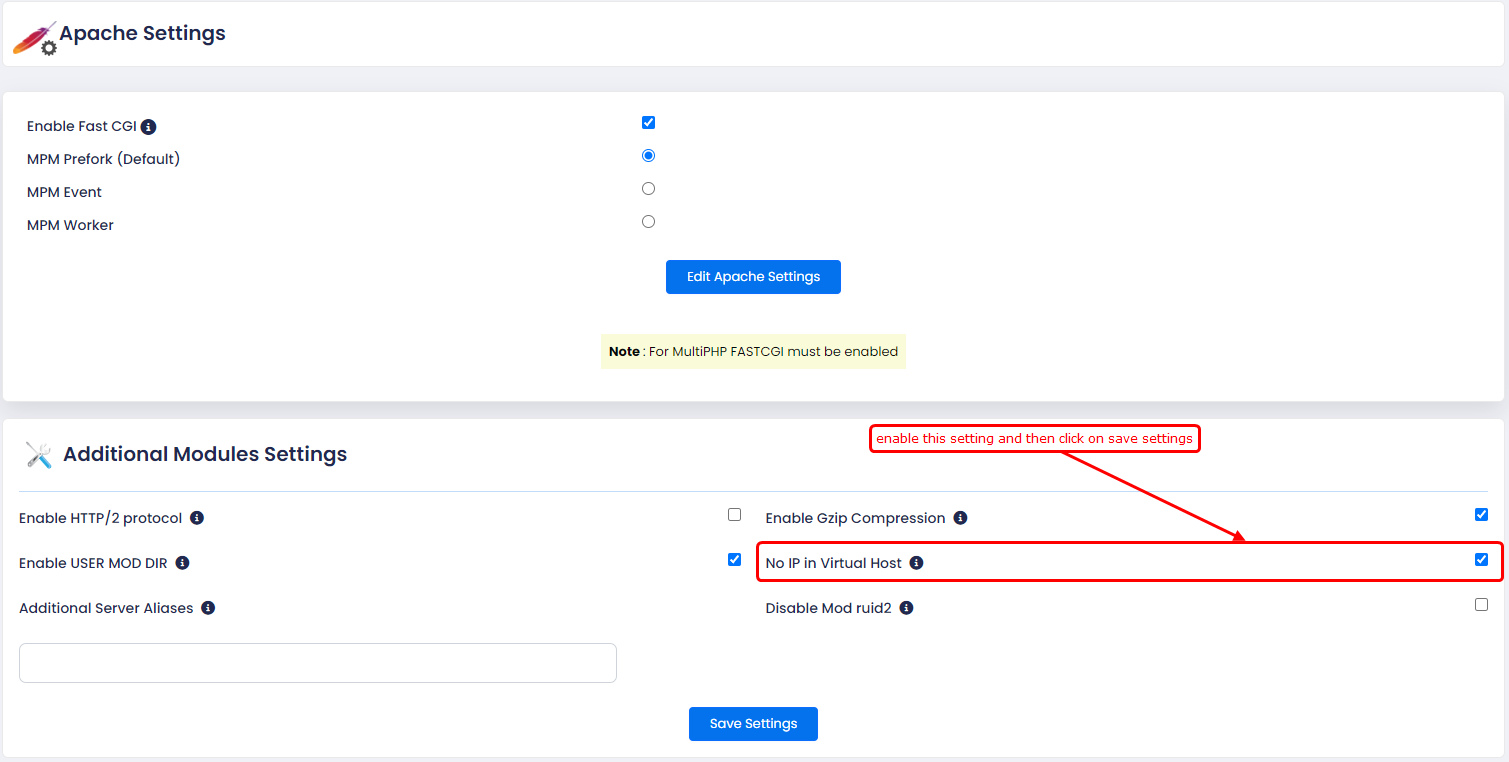
Click on "No IP in Virtual Host".
Save the settings.
After updating this setting, try installing the SSL certificate again.
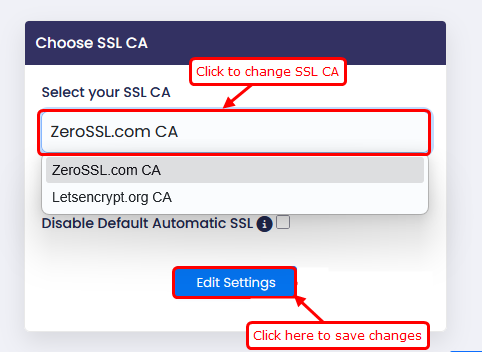 We have two SSL certificates available. Change the certificate from the current one to a different one.
Save the settings.
After changing the certificate, go to the end-user panel and try installing the SSL certificate using the automatic SSL option.
4. Install SSL Certificate via Commands
To install an SSL certificate for a specific domain, use the following command:
webuzo --lets_encrypt --action=install --domain=domain.com
To install SSL certificates for all domains, use this command:
webuzo --lets_encrypt --action=install_all