Overview
This guild explains How to grant your server access securely to support team without sharing the server credentials.
Webuzo Support Access allows you to temporarily grant access securely to the Webuzo Support Team so they can help diagnose and resolve issues on your server — without sharing your server credentials (SSH, root password,etc.).
You only need to Grant Support Access from Webuzo Panel and only the Server IP need to share.
❌ No SSH keys need to share
❌ No root or user passwords need to share
Procedure
Step 1 - Open Support Access wizard
1. Login to your webuzo Control Panel
2. Navigate to Support Access.
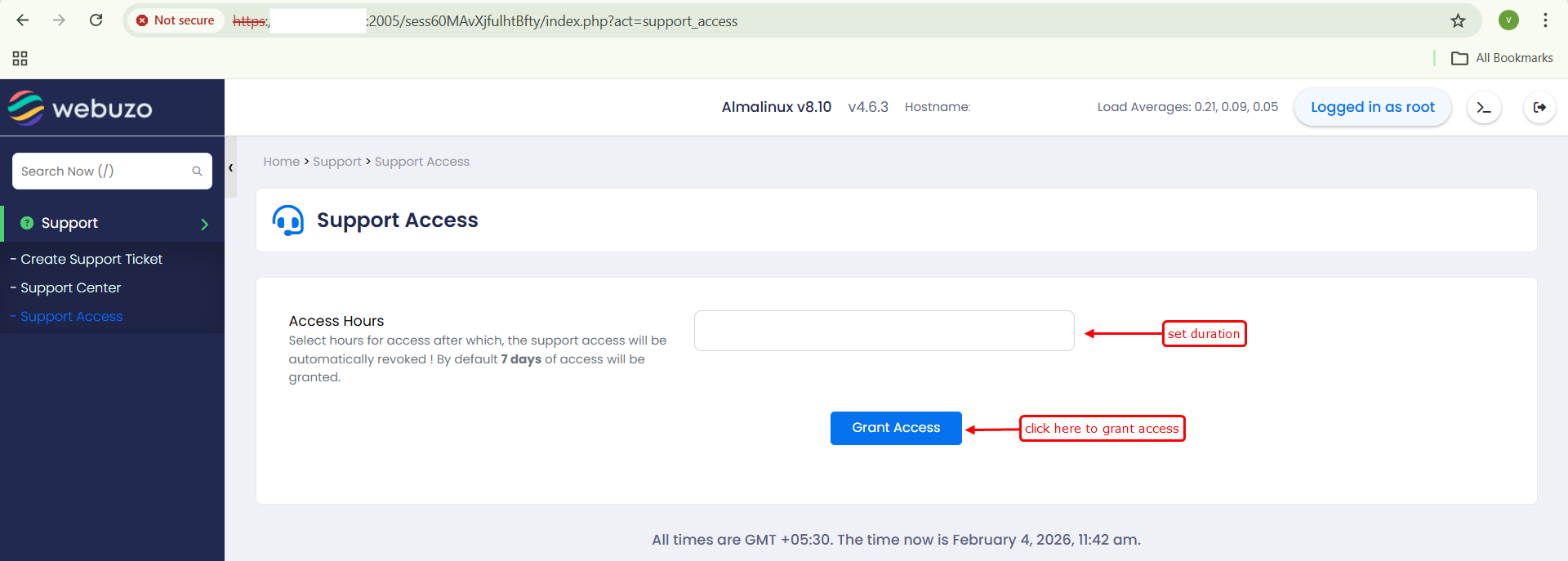
Step 2 - Set Access Duration
Enter the number of hours you want to grant access to the Webuzo Support Team
This defines how long the support team can access your server for troubleshooting
DEFAULT BEHAVIOUR :
If you do not specify any duration and click Grant Access, Webuzo will automatically grant access for 7 days by default.
Step 3: Grant Access
Click on the Grant Access.
Once you click on Grant Access it creates a temporary system user with random name, system grant this user with sudo access.
It uses the Webuzo Secure Tunnel and official public key to authenticate access.
Access is immediately enabled for the Webuzo Support Team
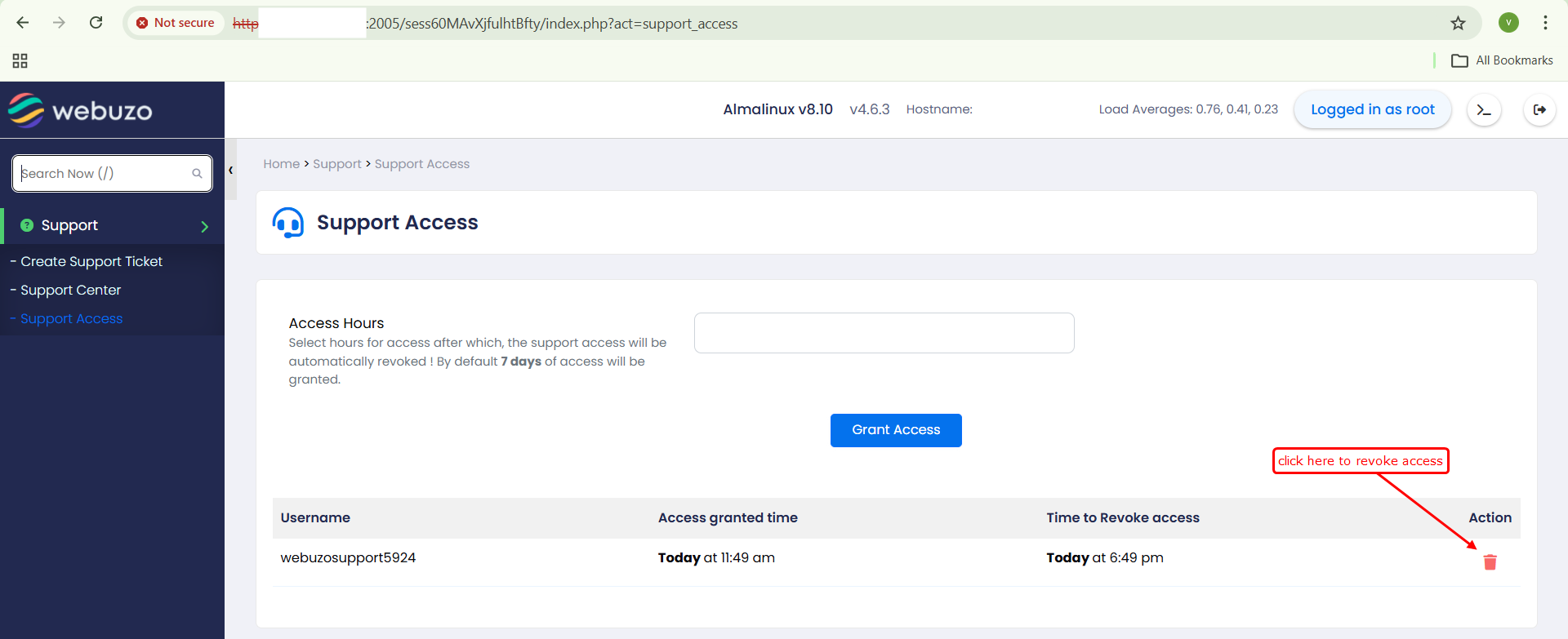
Revoke Access :
Support access is temporary and time-limited.
You can revoke access at any time before it expires by just clicking on the delete button.
Once the access period expires , the temporary user is automatically removed, and all access is disabled.